Thank you for using my service! Your Ghibli Museum ticket reservation is confirmed. The easiest way to collect your tickets is to scan the QR code I sent you at a Lawson Loppi terminal. Please also keep the reservation number and booking telephone number I sent you as a backup.
Recommended: Use the QR code first. You usually do not need to enter any numbers.
1. Visit a Lawson and find Loppi
Lawson stores are easy to find across Japan, so you can choose a convenient store near your hotel or station. Find a Lawson with Loppi →
Look for the blue-and-white Loppi terminal inside the store.
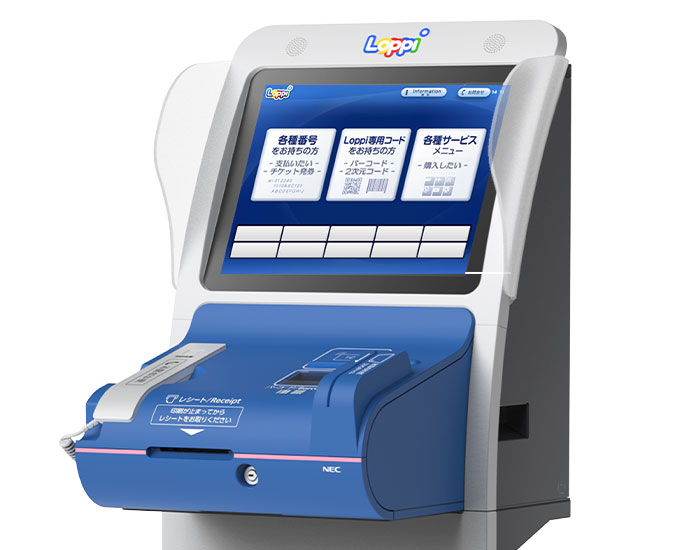
2. Scan the QR code
Open the QR code I sent you on your phone. Hold it over the barcode reader on the front of the Loppi terminal. You do not need to select anything on the touchscreen first.
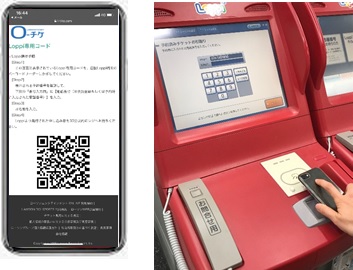
If it does not scan immediately, increase your phone’s screen brightness and hold the QR code steady over the reader.
3. Check and confirm
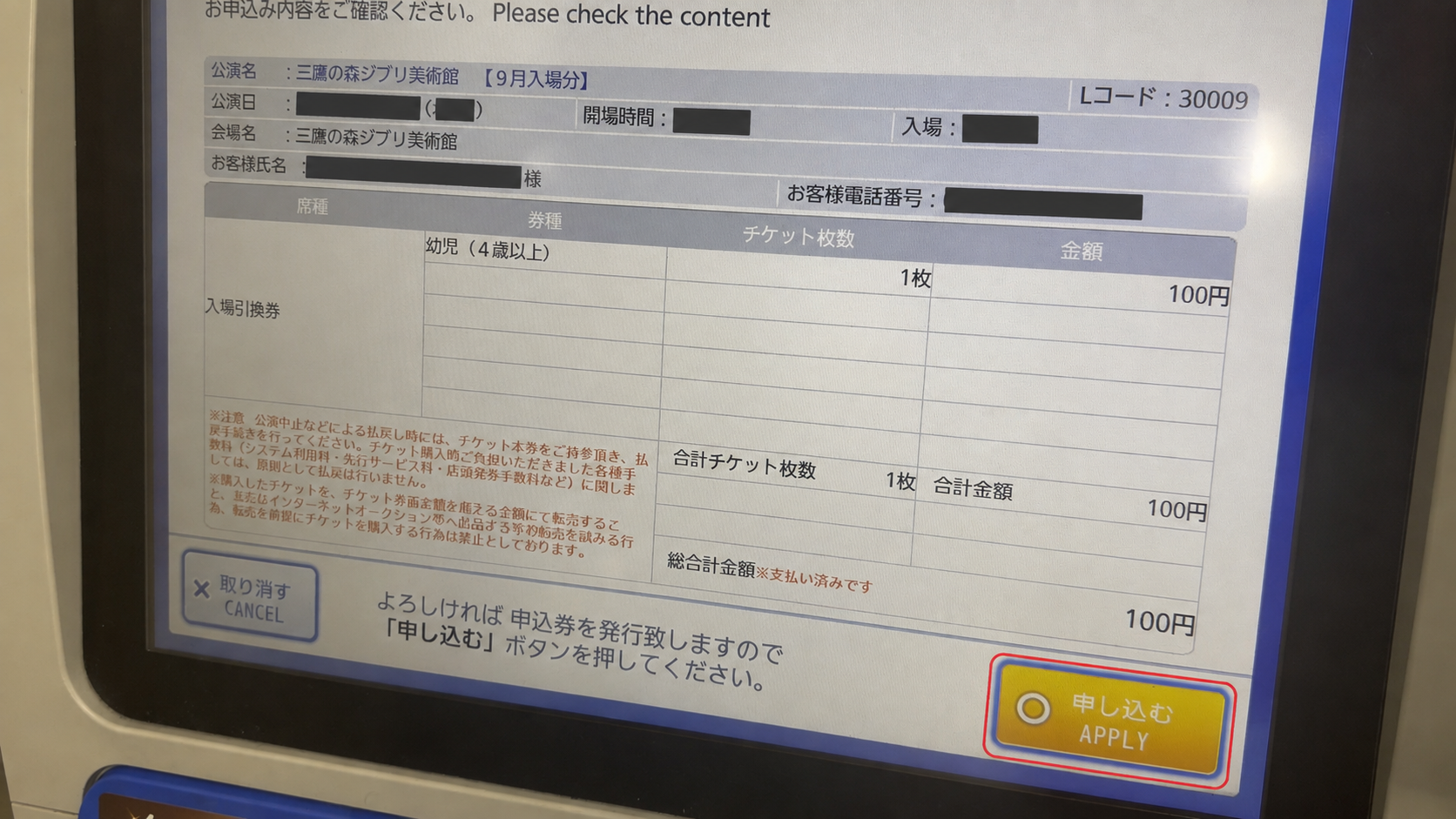
After the QR code is scanned, the reservation details should appear. Check 三鷹の森ジブリ美術館 (Ghibli Museum), your visit date, entry time, and ticket quantity. If everything is correct, tap 申し込む / Apply, then はい / Yes.
4. Take the printed slip
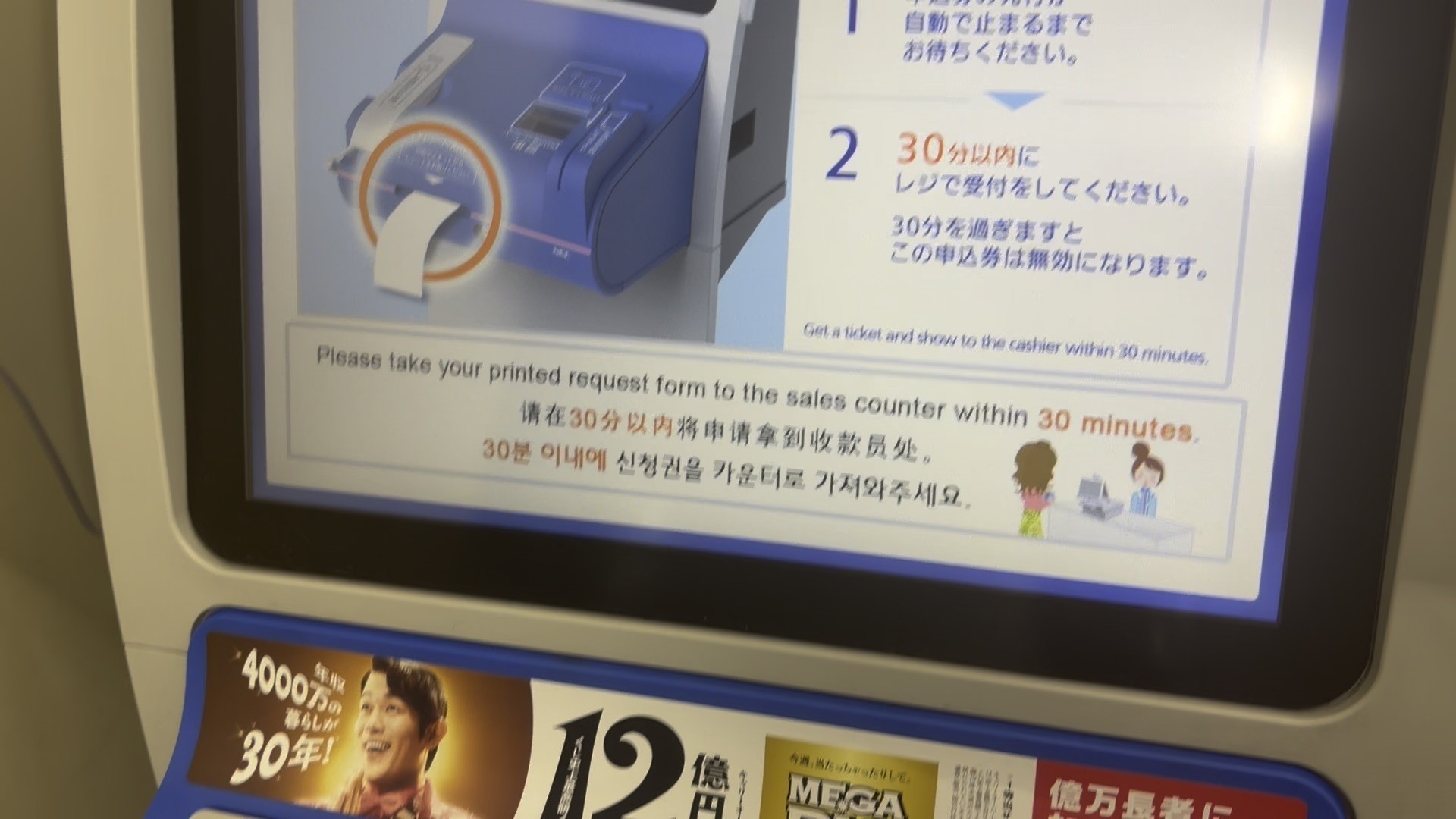
Wait for Loppi to finish printing, then take the paper slip from the receipt slot below the screen. This is not your admission ticket yet.
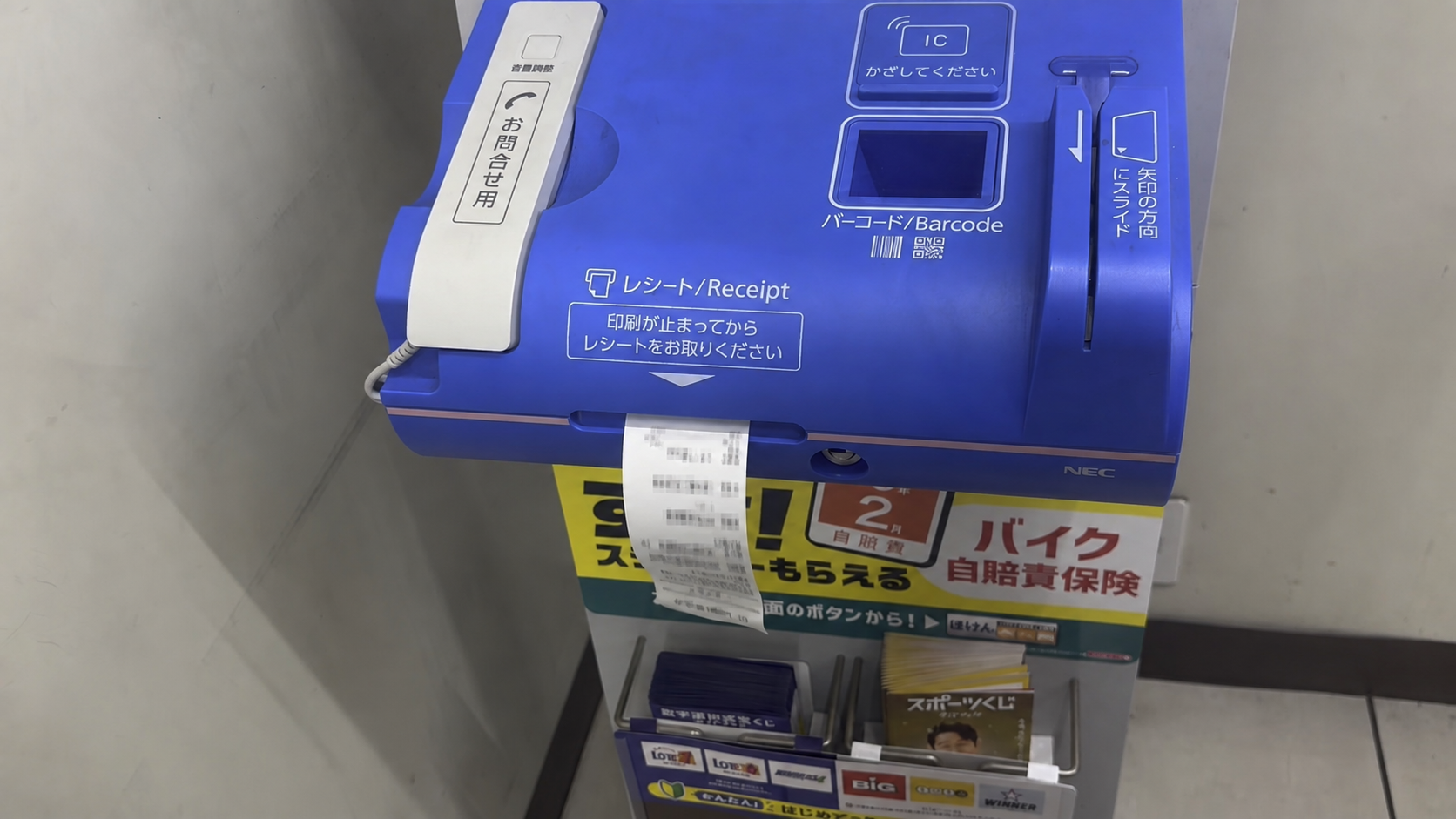
5. Collect your tickets at the cashier
Hand the slip to the cashier within 30 minutes to receive your paper tickets. There is no additional charge. If you are asked to sign for receipt, you can sign your own name.
If the QR code does not scan
You can collect your tickets by entering the numbers I sent you instead.
1. Open Lawson Ticket services
On the Loppi home screen, tap ローソンチケット各種お手続き (Lawson Ticket services)—the small button at the bottom left.
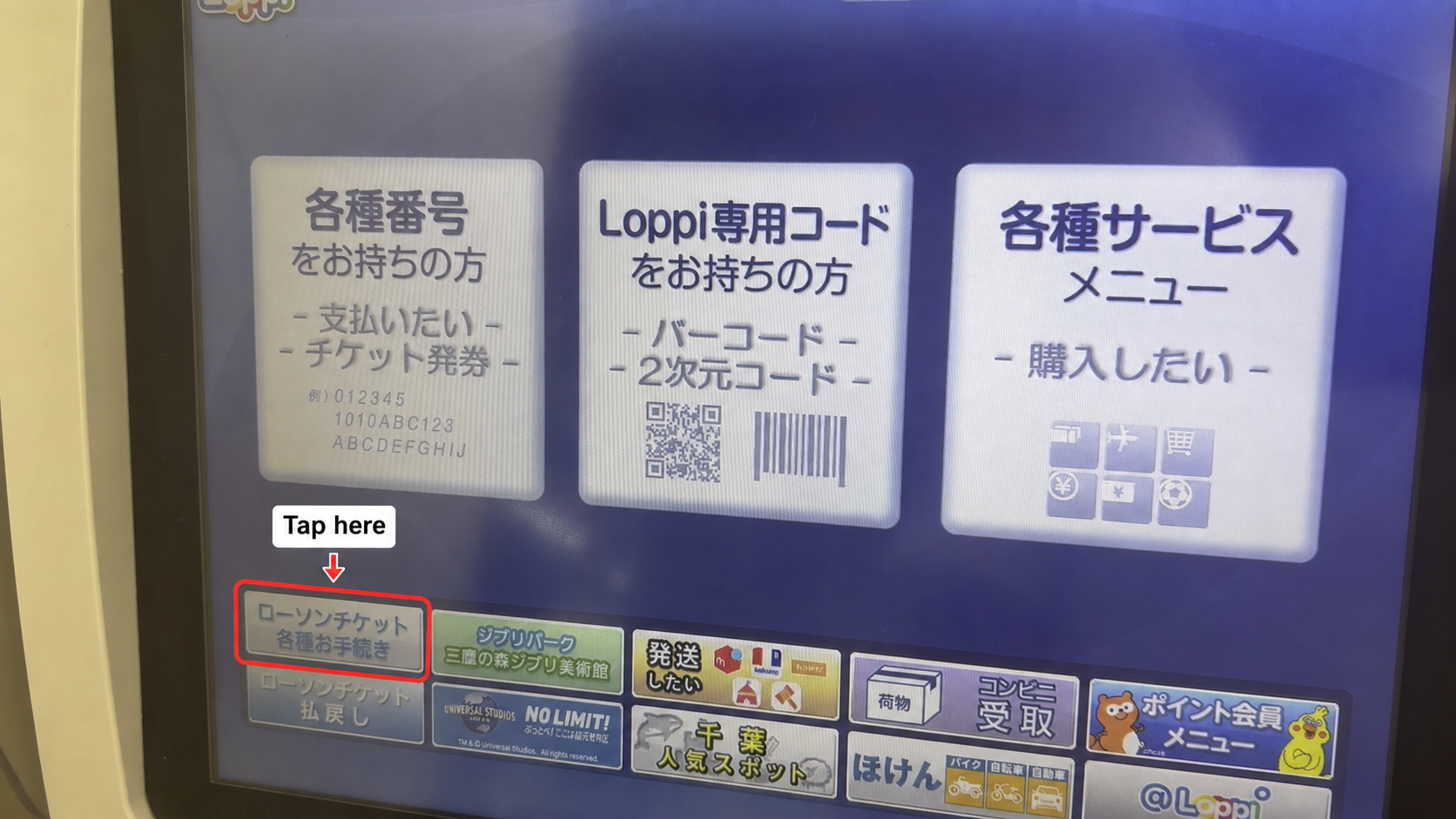
2. Choose reserved ticket pickup
Tap the left blue button: 予約済みチケットのお引取り/お支払い (pick up / pay for a reserved ticket).
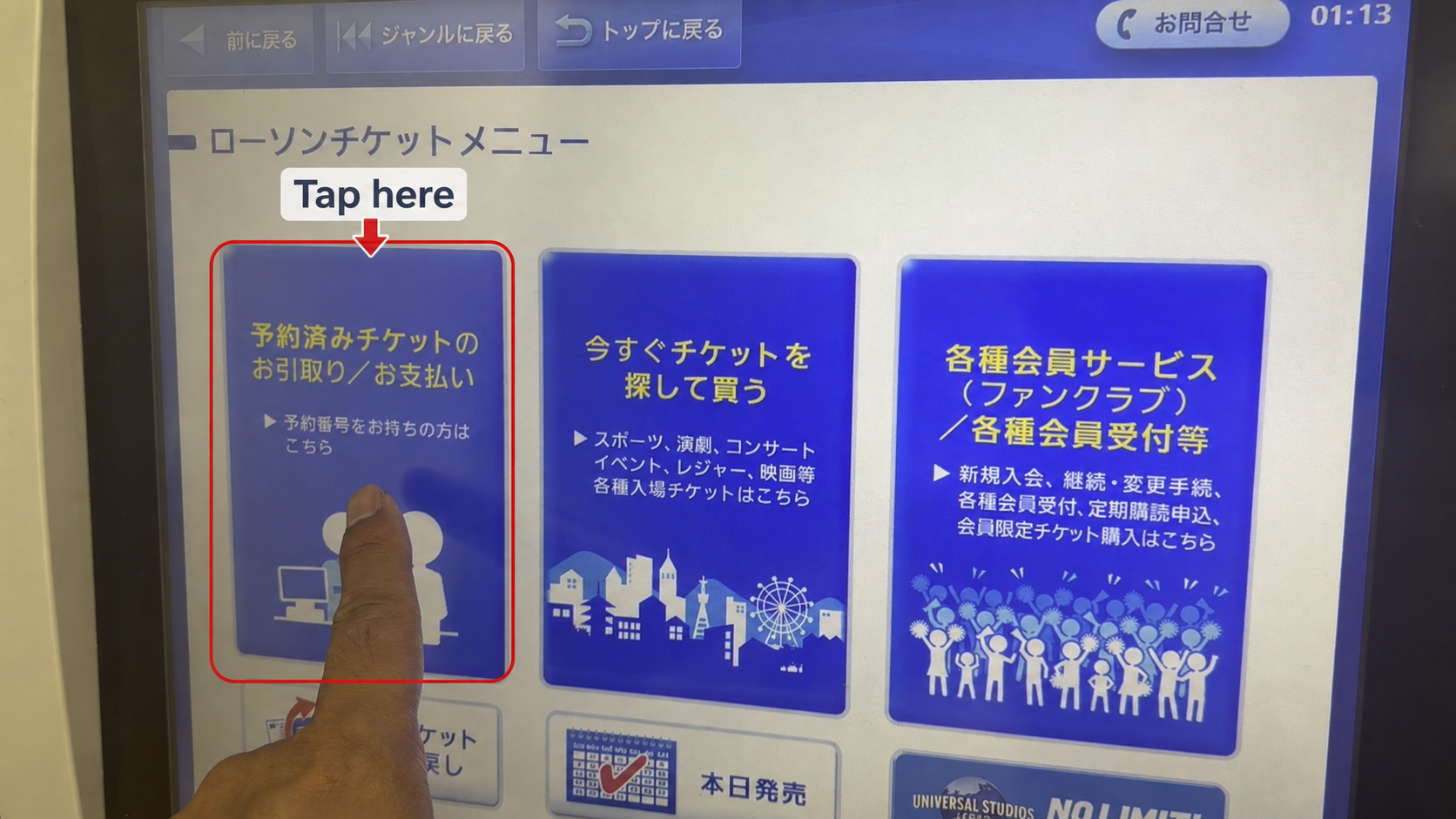
3. Enter the two numbers
Enter the 10-digit reservation number on the first line and the booking telephone number on the second. Use both numbers I sent you—not your own telephone number. Then tap 次へ / Next.
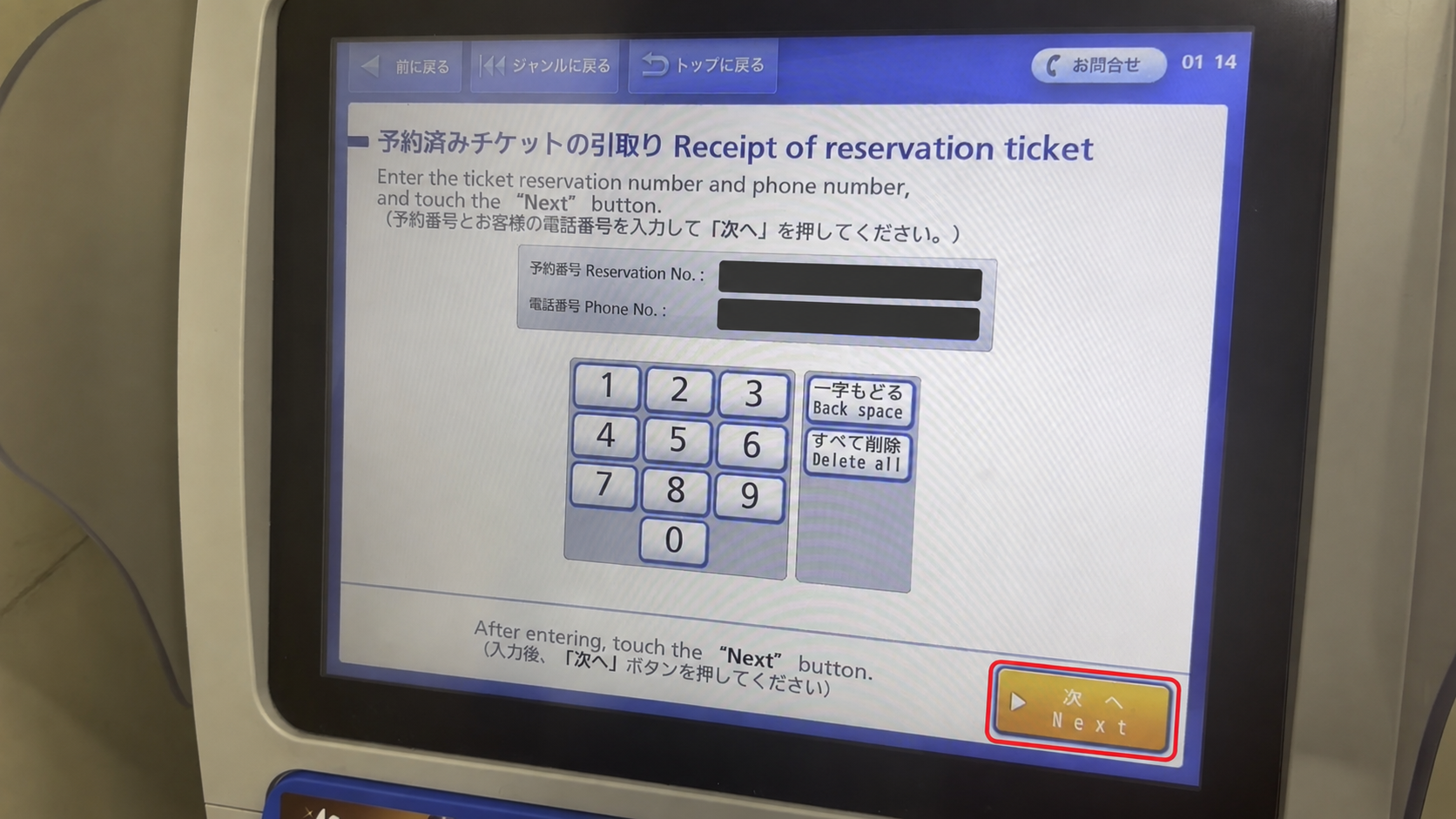
Continue from Step 3: Check and confirm above.
Need help?
If you are unsure how to print your tickets, please ask a store staff member for assistance.
If you have any other questions, please feel free to reach out via my contact form. If you placed your order through Fiverr, please send me a message on Fiverr.
Enjoy your visit to the Ghibli Museum—I hope you have a wonderful time!